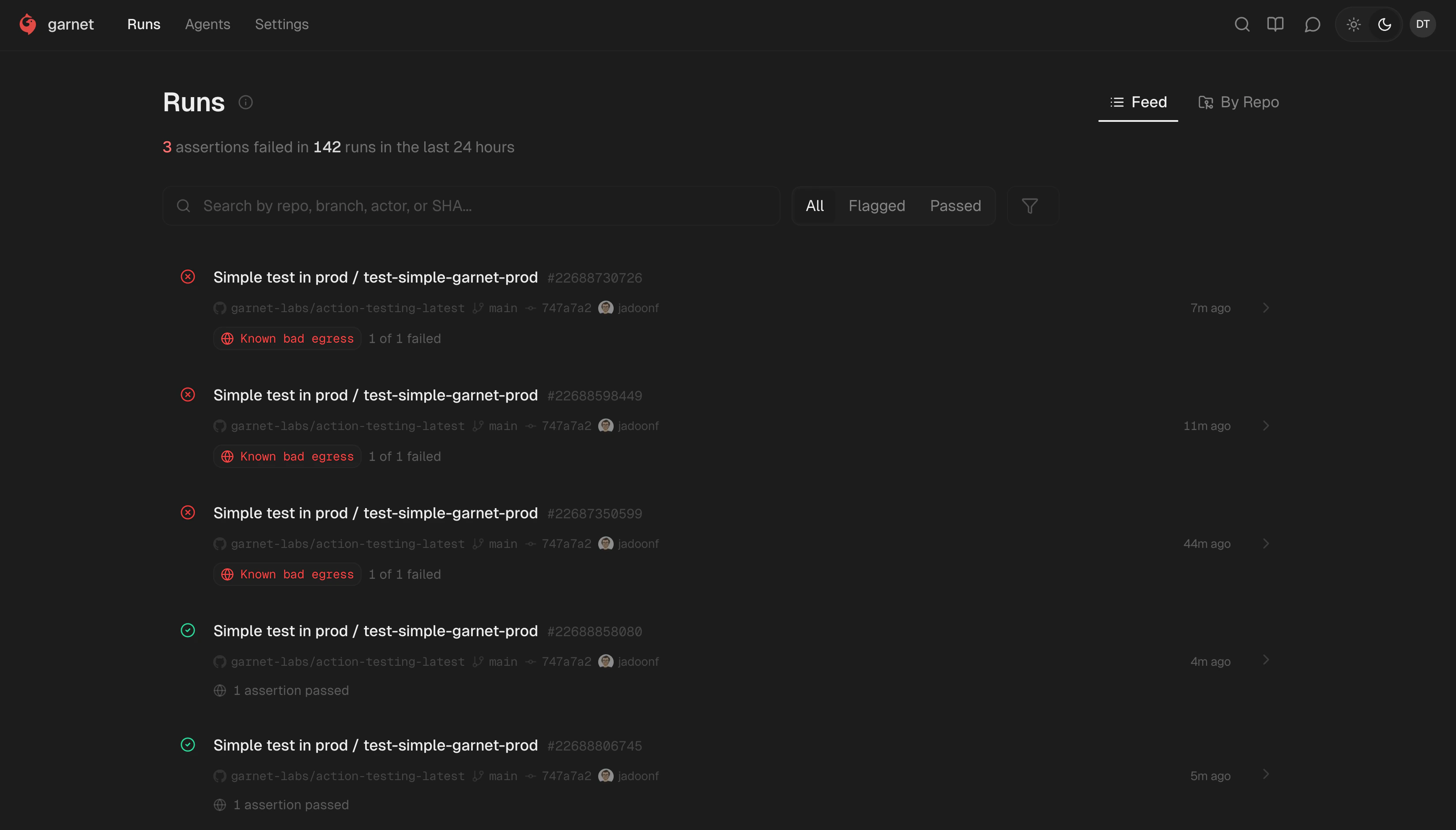
What is a run?
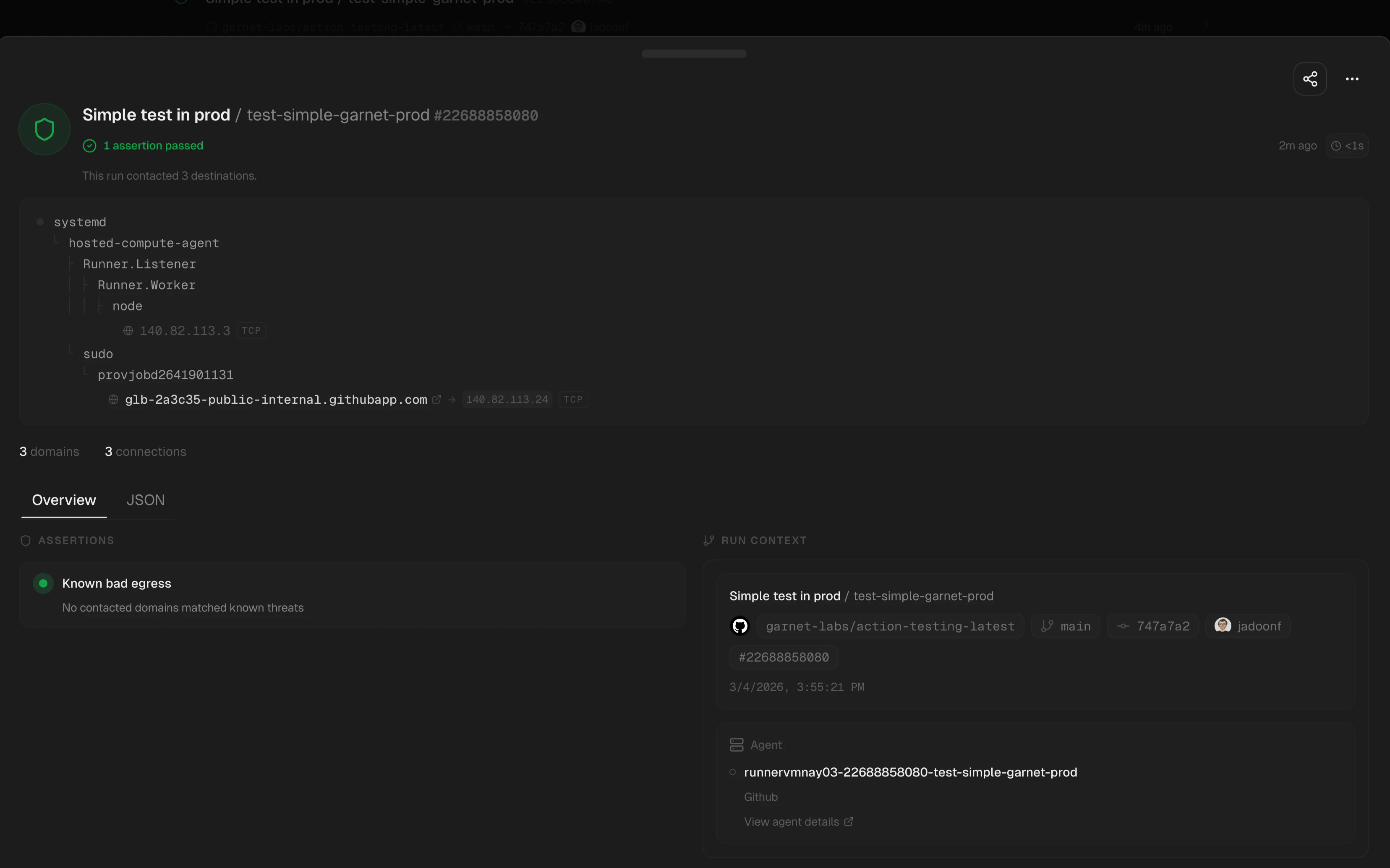
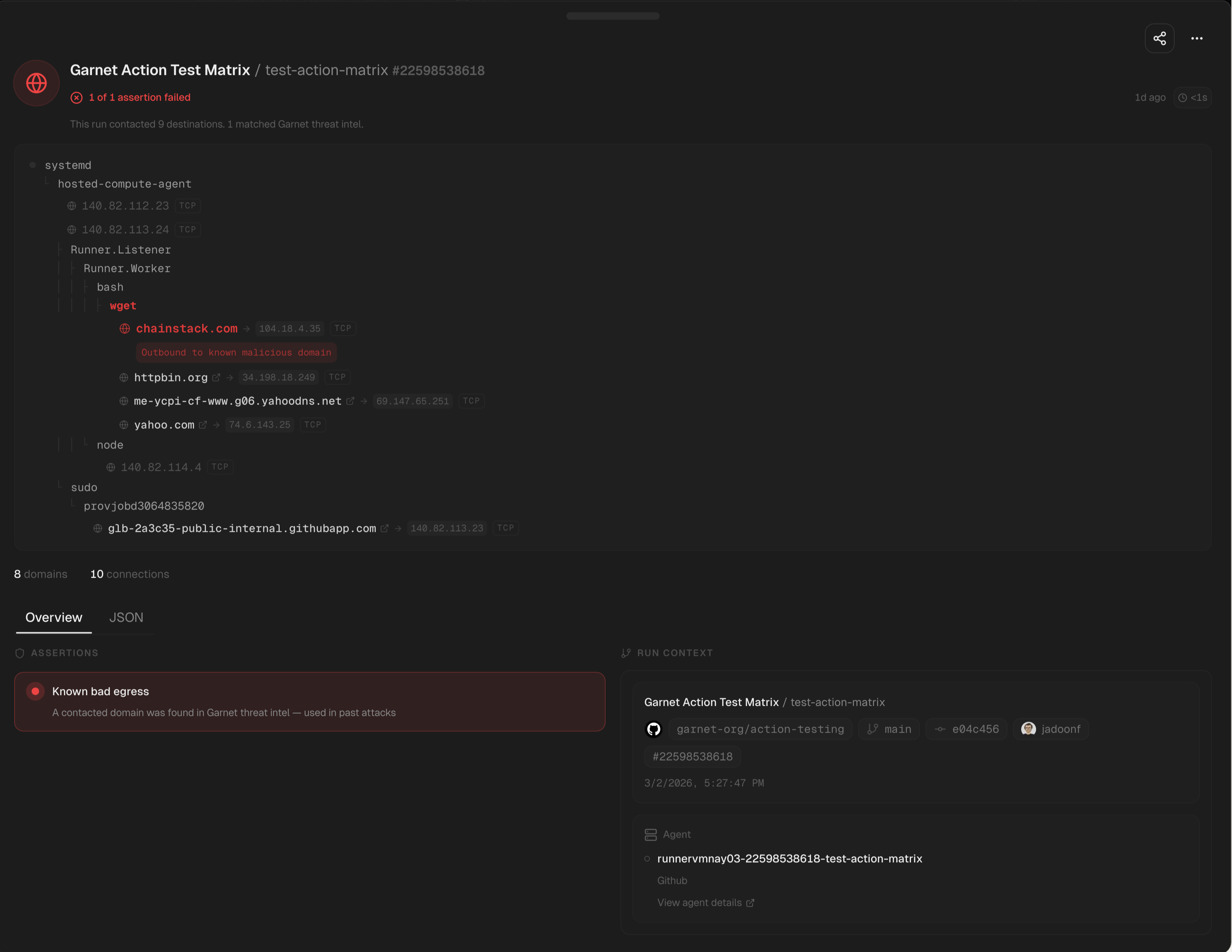
When you instrument a workflow or workload with Garnet, each execution generates a run. A run is a comprehensive profile that includes:- Egress summary: All network destinations your code connected to
- Process lineage: The complete process tree showing how commands were spawned
- Assertion results: Pass/fail status for security checks
- Metadata: Timestamp, duration, agent info, and source context
Run details

- Network connections: Every outbound connection with destination, port, and protocol
- Process tree: Parent/child relationships showing execution flow
- Assertions: Which security checks passed or failed
- Source context: Repository, workflow, commit, and trigger information
Filtering runs
Filter runs by:- Status: All, with issues, passing
- Time range: Last hour, day, week, or custom
- Agent: Filter by specific agent or environment
- Search: Find runs by repository, workflow, or destination
By default, runs show interpreter activity (python3, node, ruby) to focus on application behavior. Toggle this filter to see all process activity.
Understanding assertions
Each run evaluates a set of assertions—security checks that analyze the runtime behavior:| Assertion | Description |
|---|---|
| No malicious domains | No connections to known C2 or malicious endpoints |
| No unexpected egress | Network destinations match expected patterns |
| No shell spawns | Interpreters didn’t spawn unexpected shells |
| No sensitive file access | No reads from credential or secret files |