Agents fleet overview
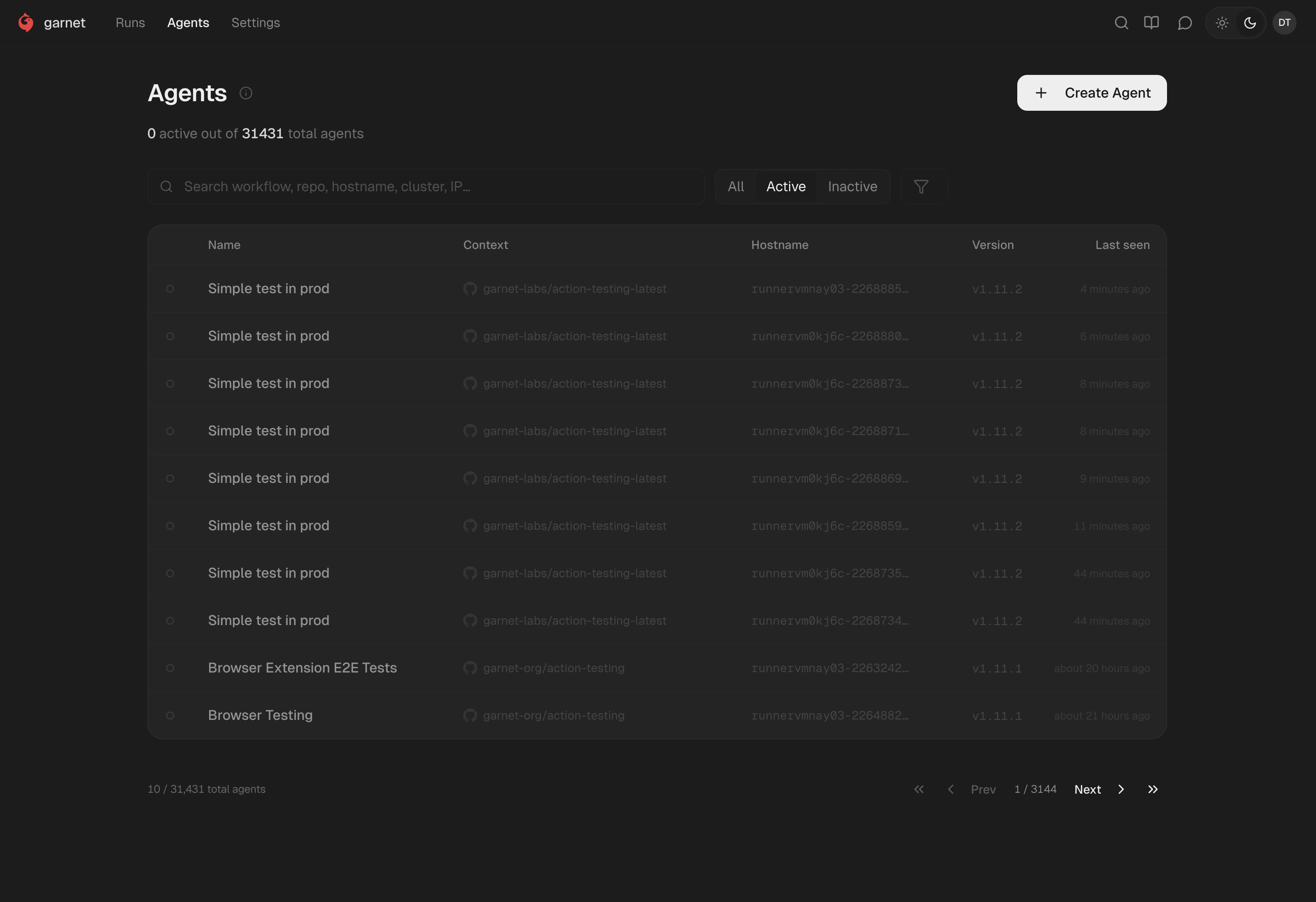
The Agents page shows every Garnet runtime agent deployed across your environments. Each entry is a Jibril instance — the eBPF runtime agent that builds a behavioral profile per run and reports it to the Garnet dashboard.

Fleet table

ColumnDescription
NameThe workflow or workload name (e.g., “Simple test in prod”)
ContextThe repository or execution context (e.g., garnet-labs/action-testing-latest)
HostnameThe runner or node hostname (e.g., runnervmnay03-2268885...)
VersionInstalled runtime agent version (e.g., v1.11.2)
Last seenWhen the runtime agent last reported to Garnet
Filter by All, Active, or Inactive. Use the search bar to find runtime agents by workflow, repo, hostname, or IP. The header shows active count and total (e.g., “0 active out of 31,431 total agents”).
GitHub Actions runtime agents appear as individual entries per workflow run — each run spins up a fresh ephemeral runner with its own Jibril instance.

Details tab

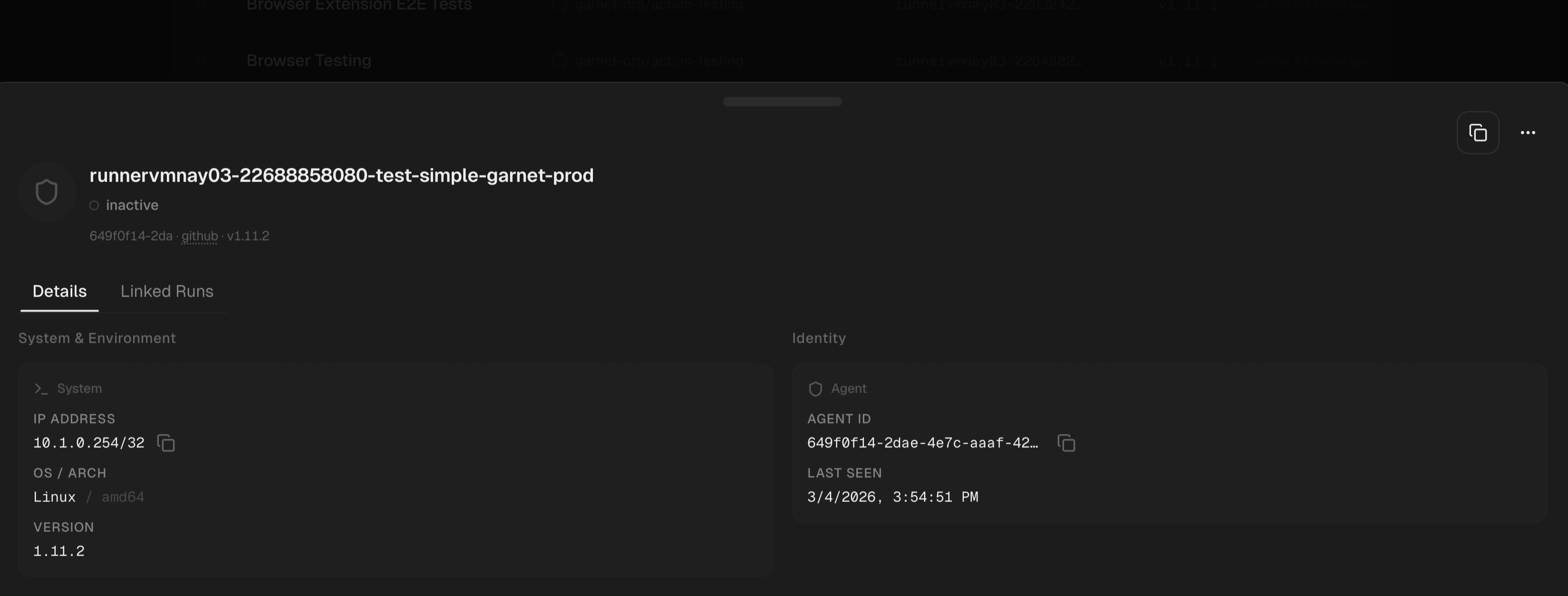
Agent detail showing System & Environment and Identity
Click any agent to open its detail panel. System & Environment — IP address, OS/architecture (e.g., Linux / amd64), and runtime agent version. Identity — Agent ID and last seen timestamp.

Linked Runs tab

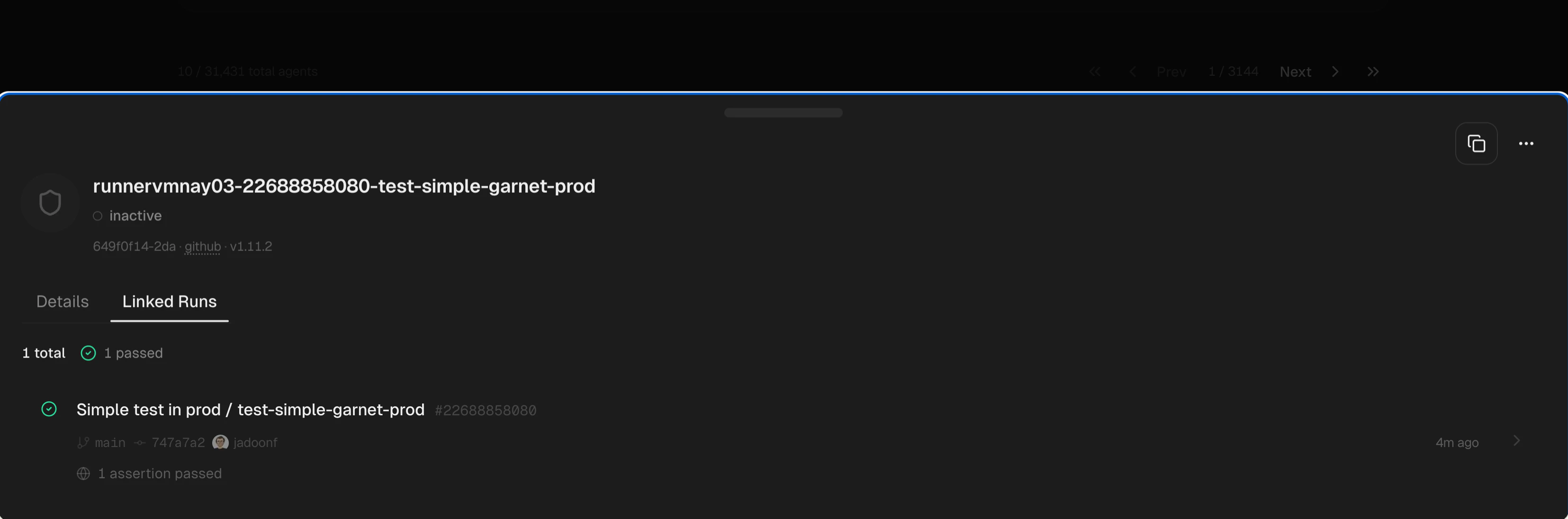
Agent detail showing Linked Runs tab with assertion results
All runs captured by this specific runtime agent. Each entry shows the workflow name, run number, branch, commit SHA, actor, assertion result (e.g., “1 assertion passed”), and timestamp. Click any run to jump to its full run detail.